Security keys, passkeys, and biometrics
Signing in with your device
Avery chooses a passkey on Cedar Inc.'s sign-in page. A device asks for a fingerprint or PIN, then signs Avery in without asking for an email address or password. As with the security-key PIN in Passwords and PINs, the fingerprint or PIN only unlocks an authenticator on Avery's device. Cedar Inc. receives a cryptographic response instead.
That response comes from a public-key credential, a key pair of the kind described in Secrets and key pairs, created for Avery's Cedar Inc. account. Cedar Inc. stores the public key and checks signatures made with the private key, which it never receives.
WebAuthn lets a website ask a browser to use this kind of credential. A separate security key can connect by USB or NFC, while another authenticator may be built into a phone or computer. A passkey is a FIDO credential used for passwordless sign-in. It can be held by a security key or a device's credential provider.
Registering a key
Before Avery can sign in this way, Cedar Inc. must register the credential to Avery's account. Cedar Inc. is the relying party, the service that will rely on the result. The authenticator creates a key pair, and the service stores the public key and a credential identifier after validating the registration response. The response can also include attestation, a signed statement about the authenticator's make and model that lets an organization accept only approved security keys, although many synced passkeys provide none.
A passkey is also a discoverable credential. The authenticator stores Avery's account handle for Cedar Inc. alongside the private key, so at sign-in it can find the right credential, offer a choice if several accounts are saved, and tell Cedar Inc. which account is signing in. That is why Avery did not need to type an email address first. A key registered only as a second step after a password is often non-discoverable instead. Cedar Inc. must first learn which account is signing in, then send the credential identifiers it stored so the key can recognize its own credential.
The credential is tied to the relying party's domain, such as login.cedar.example. The browser also knows the page's origin, which includes its scheme, host, and port. During registration and sign-in, these values help keep a credential for Cedar Inc. from being used by an unrelated website.
Registering a new key changes who can enter Avery's account. If someone briefly gets access to Avery's session, they should not be able to add their own key without a suitable fresh check. Cedar Inc. must authorize the change and notify Avery afterward.
Answering a challenge
At sign-in, Cedar Inc. sends a fresh, unpredictable challenge. The browser passes the request to an authenticator for the right domain. After Avery completes the required local check, the authenticator signs authentication data and a hash of browser-provided data that includes the challenge and origin.
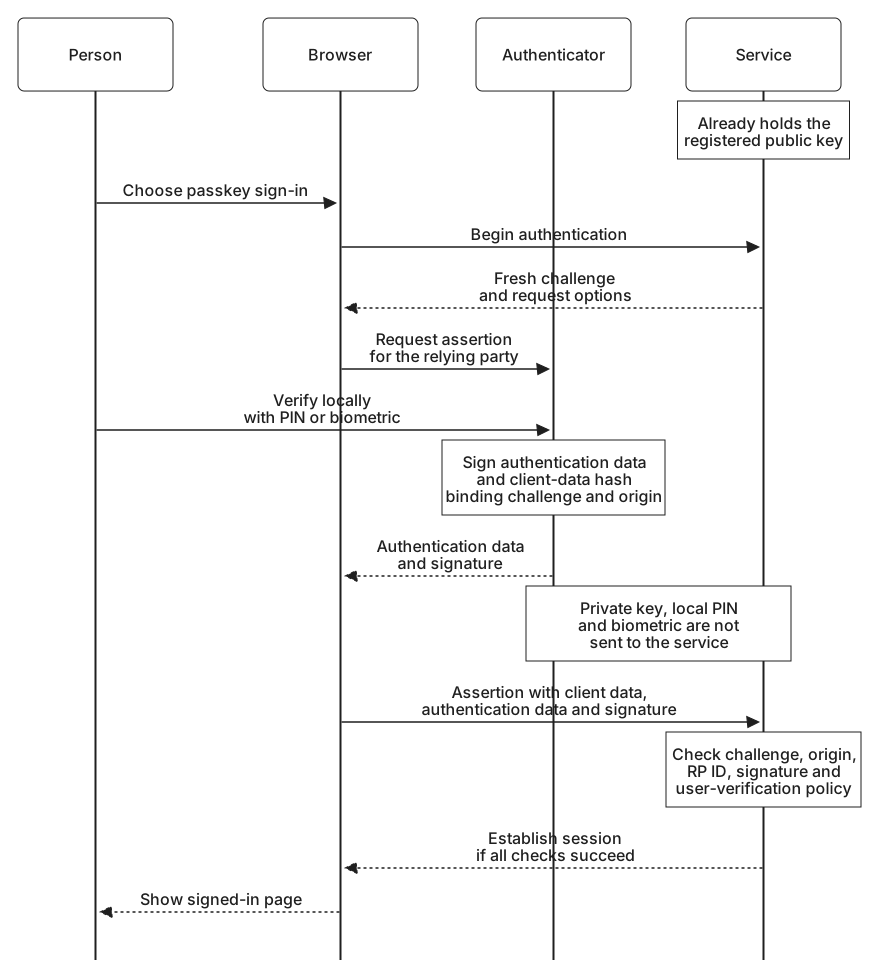
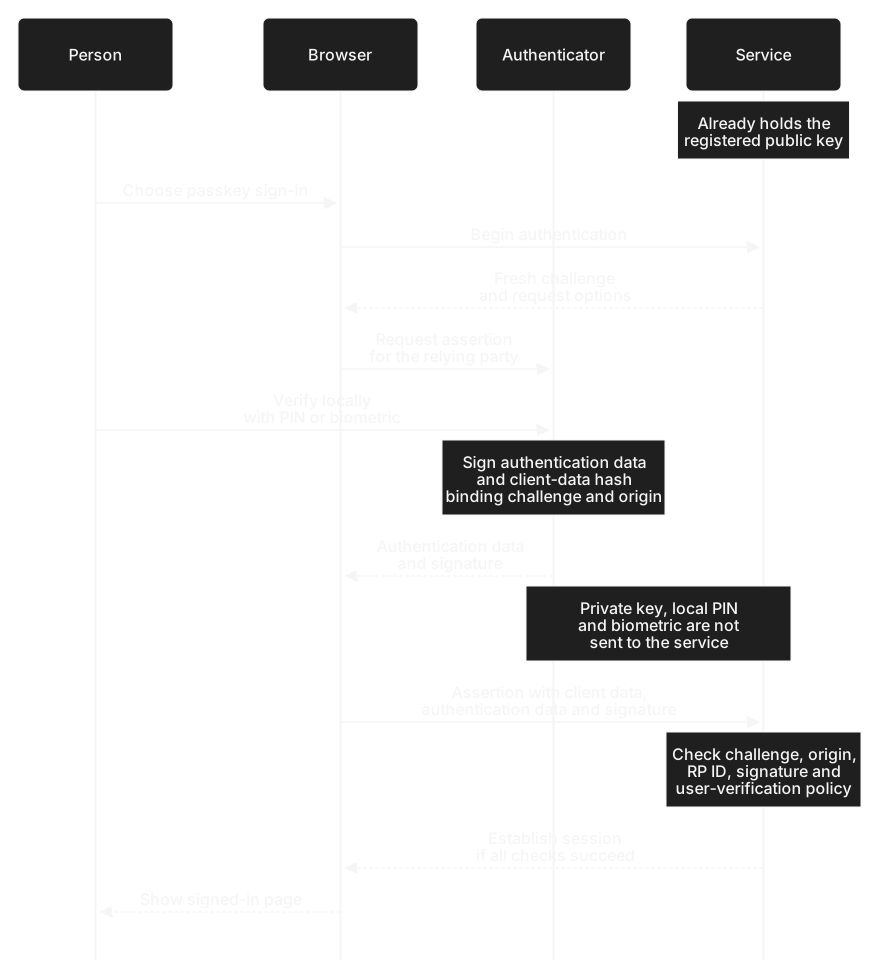
Cedar Inc. checks that the response belongs to the challenge it sent, came from an allowed origin, is bound to its relying-party ID, and carries a valid signature from Avery's registered key. It also checks whether the authenticator performed any user verification the policy required. A maintained WebAuthn verifier handles these protocol checks.
A lookalike site has a different origin and cannot simply request Cedar Inc.'s credential through the browser. That website binding is why a passkey sign-in resists the kind of phishing that can capture a password or a code typed into a fake page.
Presence and verification
Touching a security key shows user presence: someone is participating in the sign-in. It does not tell Cedar Inc. whether that person is Avery. A local PIN or biometric check provides user verification. The authenticator records the result as a flag inside the data it signs, so Cedar Inc. can rely on it without seeing a fingerprint or PIN.
Suppose Cedar Inc.'s policy requires user verification, but the key returns a valid signature after a touch alone. The signature is genuine, yet the required local check did not happen. Cedar Inc. must reject that sign-in.
Where keys live
A device-bound credential remains in one authenticator and cannot be copied out of it. A synced passkey is copied between Avery's devices by a credential provider, encrypted along the way. Sync does not send the private key to Cedar Inc.; the service continues to hold only the registered public key.
Sync can make replacing a phone easier, but access then depends in part on the provider's account security and recovery. A device-bound key needs another plan for loss or damage, such as a separately enrolled backup.
A phone can also act as the authenticator for a different computer. The computer shows a QR code, Avery scans it with the phone, and the two devices confirm over Bluetooth that they are near each other before the phone answers the challenge. The passkey stays on the phone, which helps when Avery signs in on a shared or borrowed computer.
Passwords, codes, and public-key credentials produce different kinds of evidence. What makes authentication multi-factor? compares them and asks which combinations count as more than one factor.