Exchanging a code for tokens
The printer has received a code and accepted the authorization response. Your browser's return journey is complete, but the printer still needs the credential it will present to the photo API.
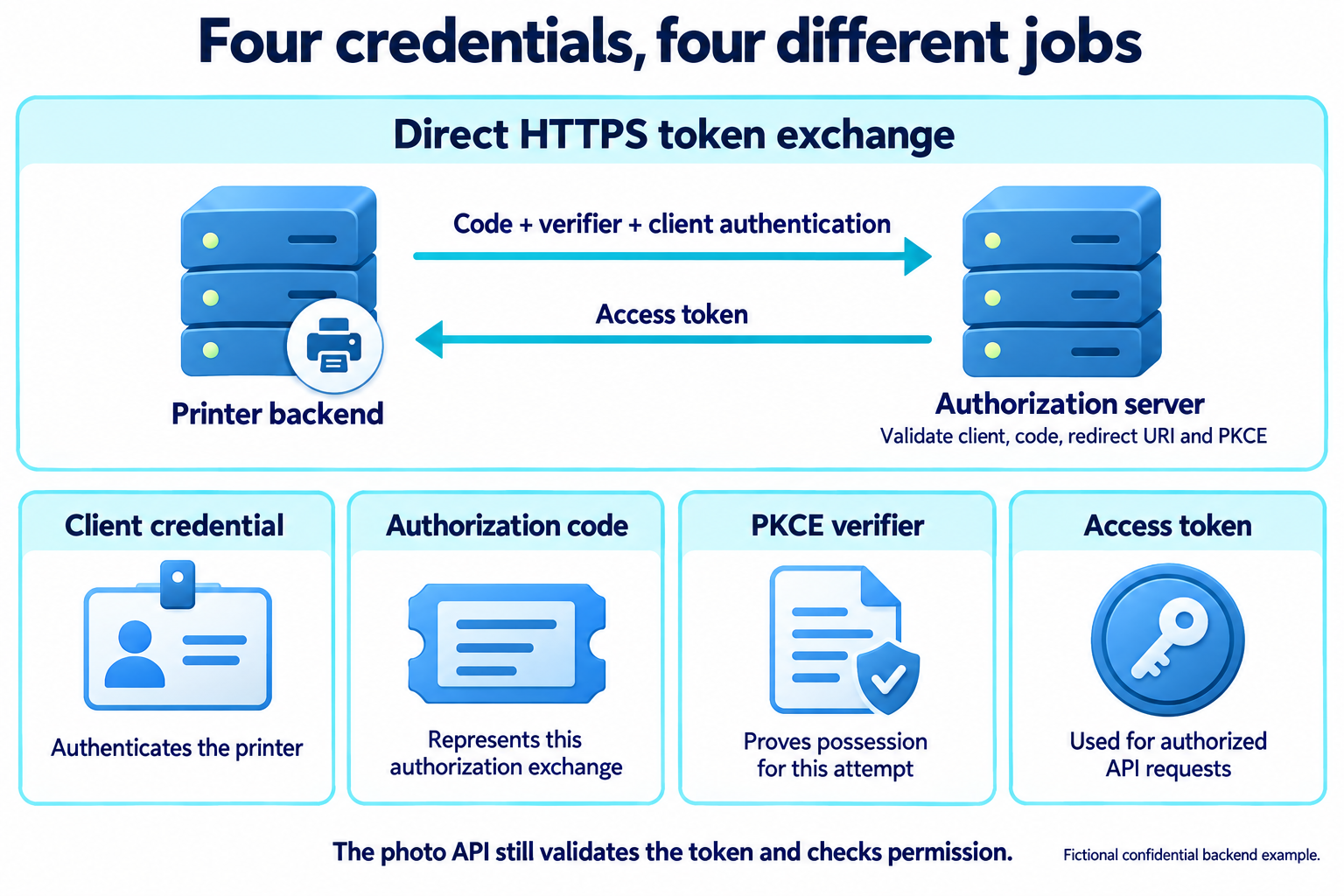
Its backend now makes a direct HTTPS request to the photo service's token endpoint.
Building the token request
This example uses HTTP Basic client authentication with an entirely fictional client secret. The encoded header represents photo-printer:demo-only-not-a-real-secret. Base64 encoding is not encryption; HTTPS protects the request in transit.
POST /token HTTP/1.1
Host: auth.photos.example
Authorization: Basic cGhvdG8tcHJpbnRlcjpkZW1vLW9ubHktbm90LWEtcmVhbC1zZWNyZXQ=
Content-Type: application/x-www-form-urlencoded

grant_type=authorization_code
&code=demo-code-7
&redirect_uri=https%3A%2F%2Fprinter.example%2Foauth%2Fcallback
&code_verifier=btl_training_verifier_for_one_attempt_only_2026
The body is form-encoded, not JSON. Its line breaks are for display only.
grant_type identifies the kind of exchange. code supplies the intermediate credential. redirect_uri repeats the address used in the authorization request, and code_verifier supplies the PKCE proof.
Including a redirect URI here does not cause another browser redirect. It gives the token endpoint a value to check against the earlier exchange.
HTTP Basic is only the client authentication method selected for this example. Other registrations use methods such as signed assertions. A public client does not become confidential by inventing a shared secret; it identifies itself with its client ID when it does not authenticate. Client authentication methods, in Clients and registration, explains these differences in detail.
Checking the exchange
The authorization server checks the client's authentication, the code's validity and client binding, the redirect URI, and the PKCE proof. It also enforces expiry and single use of the code. These checks belong at the token endpoint even if the earlier browser interaction appeared successful.
A successful response might be:
HTTP/1.1 200 OK
Content-Type: application/json
Cache-Control: no-store
Pragma: no-cache

{
  "access_token": "demo-access-token-7",
  "token_type": "Bearer",
  "expires_in": 600,
  "scope": "photos.read"
}
The ten-minute lifetime is a choice for this example, not a universal OAuth duration. A refresh token is optional and is not issued in this example. The refresh token grant follows a connection that receives one.
The client handles the returned token type, lifetime, and actual scope. The server must include scope when it grants something different from the request. When scope is omitted, the granted scope is the same as the scope the client requested.
Using the result
The printer can now make an API request:
GET /photos HTTP/1.1
Host: api.photos.example
Authorization: Bearer demo-access-token-7
The token endpoint's success does not force the API to accept every operation. The API must validate the token for its intended use and enforce permission and resource checks. In Tokens and resource servers, Token formats and validation and Enforcing access at an API cover those checks, and Using access tokens reads the API's failure responses.