Staying signed in
Remembering a sign-in
You sign in to the photo application, open an album, and move to your account settings. You do not enter your password for every click. The application recognizes that these requests belong to an ongoing interaction with your account.
A session carries that continuity across requests. HTTP does not automatically remember a previous sign-in. The application adds a mechanism that connects later requests to the authentication it has already accepted.
A session in practice
One common design stores a session record on the server and gives the browser an unpredictable identifier for it. A cookie lets the browser store that value and send it with matching requests. The cookie does not need to contain your password or profile.
These illustrative headers show that exchange. The session value is a placeholder, not a usable credential. After sign-in, the server sends:
Set-Cookie: __Host-session=EXAMPLE_ONLY; Path=/; Secure; HttpOnly; SameSite=LaxOn a later matching request, the browser sends the cookie back:
GET /albums/42 HTTP/1.1
Host: photos.example
Cookie: __Host-session=EXAMPLE_ONLY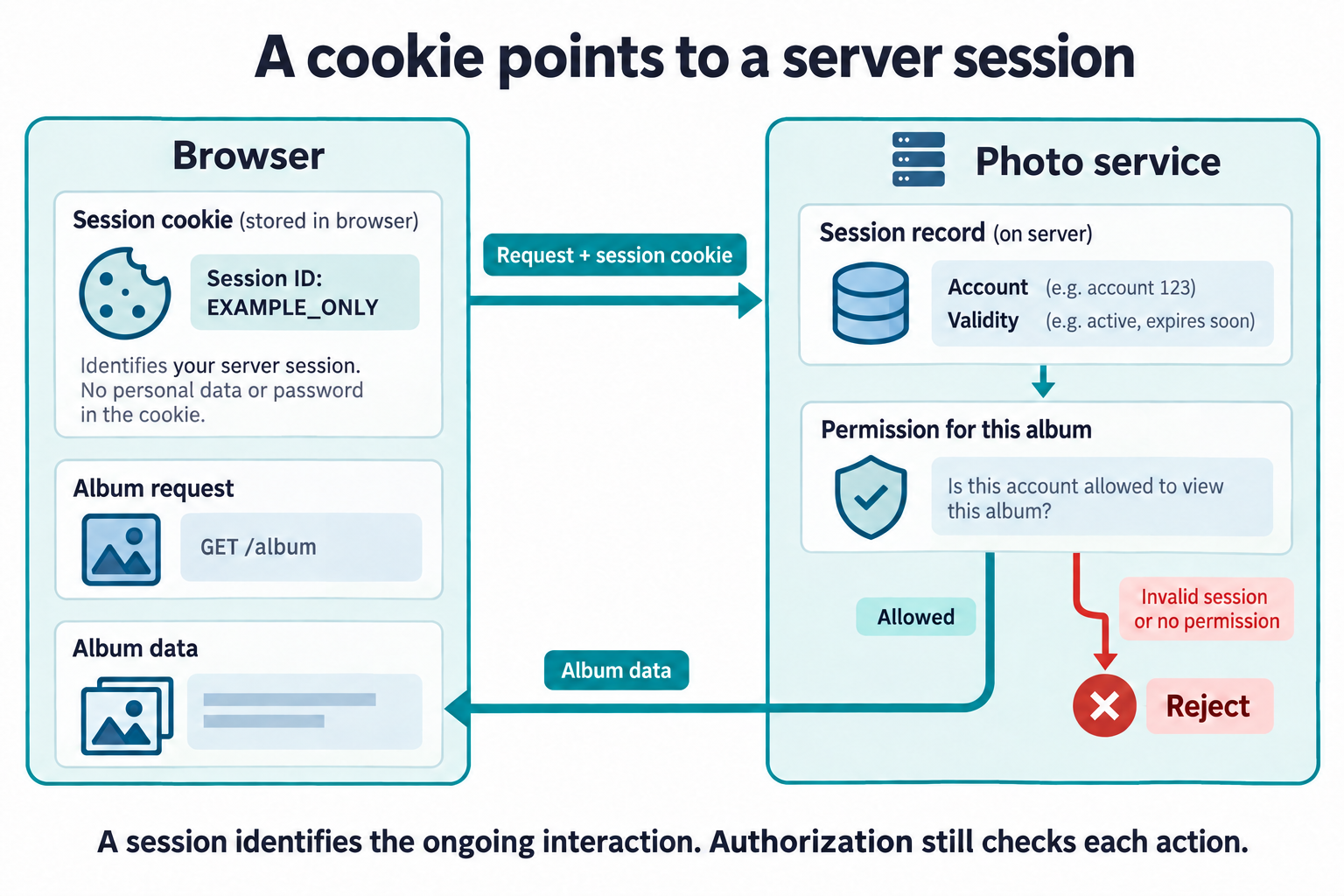
Secure restricts transmission to HTTPS.
HttpOnly prevents JavaScript from reading the cookie.
SameSite=Lax limits when the browser sends it on cross-site
requests. The __Host- prefix in the cookie's name tells the
browser to accept it only with Secure, with
Path=/, and without a Domain attribute, so the
cookie belongs to this exact host rather than being shared with other
subdomains. These settings support protection, but do not replace checks
against malicious requests or scripts.
Using and protecting a session
The server checks whether the session is still valid, finds the associated account, and evaluates authorization for the requested action. Possession of a session identifier can be enough to use the session, which makes protecting it as important as protecting the initial sign-in.
An application may create an anonymous session before you sign in, for example to remember a language preference. When authentication succeeds, it should issue a new, unpredictable session identifier rather than give the existing identifier access to your account.
Imagine an attacker manages to make your browser use an anonymous session identifier they already know. If the application keeps that identifier after you sign in, the attacker could present the same value and access your authenticated session without knowing your password. This is called session fixation.
Here is an illustrative replacement. These readable values are placeholders; real session identifiers must be randomly generated and unpredictable. Before sign-in, your browser sends:
Cookie: __Host-session=OLD_ANONYMOUS_IDAfter verifying your credentials, the server creates a new session associated with your account and invalidates the old identifier. Its response replaces the browser's cookie:
Set-Cookie: __Host-session=NEW_AUTHENTICATED_ID; Path=/; Secure; HttpOnly; SameSite=Lax
Subsequent requests use NEW_AUTHENTICATED_ID.
OLD_ANONYMOUS_ID no longer grants access. Replacing the cookie
alone is not enough: the server must stop accepting the old identifier.
Your framework's session-management facilities should handle this change.
Applications can also require fresh authentication before sensitive actions, such as changing a password. This checks your authentication again; changing a session identifier by itself does not.
Ending a session
Sessions also need to end. An idle timeout ends a session after a period of inactivity, and an absolute timeout caps its total lifetime even while it is being used. How long each should be depends on what the application protects: a banking application ends sessions far sooner than a service that only remembers your progress through public lessons. An application that seems to keep you signed in for weeks can still use expiring sessions, renewing them in a controlled way rather than letting one identifier stay valid indefinitely.
Signing out needs the same care. For the server-stored design above, signing out should invalidate the server's session record as well as remove the browser's cookie. Clearing only the cookie leaves a stolen copy potentially usable.
Closing a browser is not a reliable substitute for signing out. Browser session restoration may retain cookies. A session's validity must be enforced by the service, rather than assumed from what the interface shows.
Later lessons return to sessions from several directions. Establishing an application session creates one after a sign-in at another service and decides what it records and how long it lasts. Local logout and provider sessions asks what signing out ends when more than one service is involved, and How sessions and tokens are stolen follows an attacker who takes a session instead of a password.
So far, one application has handled the sign-in. Continue to Trust across systems to explore what changes when another service handles authentication.