How applications communicate
Behind a click
When you open a photo album, the photos might live on a service far away from your device. Your browser needs to ask for them. That exchange gives the service an opportunity to identify the request, check access, and decide what to return.
In this exchange, the browser acts as a client, sending a request to a server. These describe roles in a particular conversation. The server might then act as a client when asking another service for information.
Reading a request
Web applications commonly communicate using the Hypertext Transfer Protocol, or HTTP. An API, or application programming interface, defines how software can interact with a service. An HTTP API exposes addresses, sometimes called endpoints, where requests can be sent.
Consider this fictional address:
https://photos.example/api/albums/42?limit=10
https selects HTTP protected by Transport Layer Security
(TLS). photos.example
identifies the host, /api/albums/42 is the path, and
limit=10 is a query parameter that this example API uses to
request up to ten items.
Here is a simplified HTTP/1.1 request and response. The example domain is fictional and these blocks do not send requests. Authentication details are omitted here so we can focus on the message structure.
GET /api/albums/42?limit=10 HTTP/1.1
Host: photos.example
Accept: application/json
GET is the method: it asks to retrieve a resource. The lines
below it are headers, which carry information about the request.
Accept indicates the response format the client can use.
HTTP/1.1 200 OK
Content-Type: application/json

{"id":"42","title":"Weekend walks"}
200 is a status code indicating success. The response body
contains the album data in JSON, a text format for structured information.
Other requests might ask to create, update, or delete data.
Following a redirect
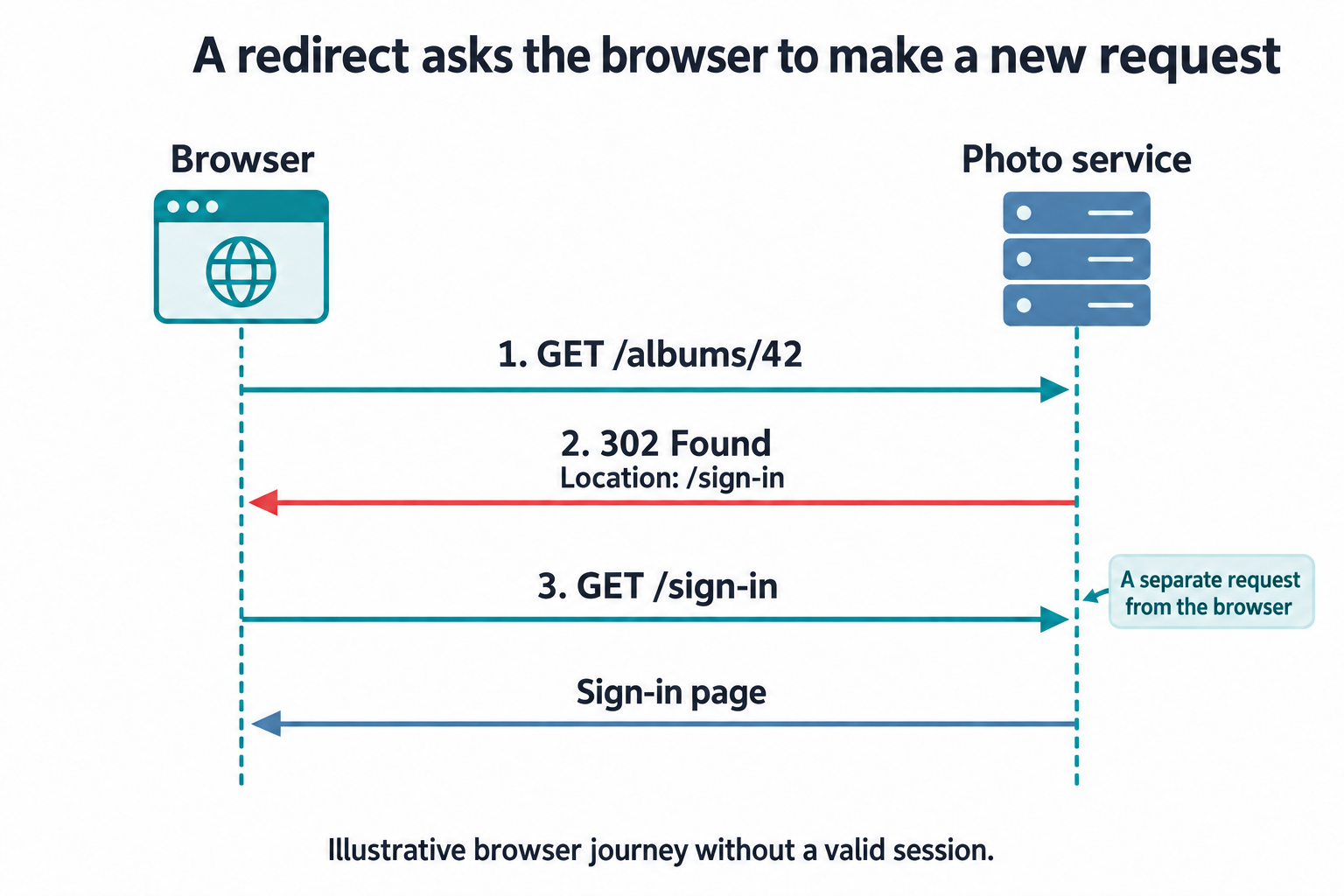
A server can also ask the browser to visit another address. This is a redirect. For example, suppose you open the web page for a private album before signing in. The browser asks for a page this time, not JSON data:
GET /albums/42 HTTP/1.1
Host: photos.example
Accept: text/html
Instead of the album, the service might respond with a redirect:
HTTP/1.1 302 Found
Location: /sign-in
The browser follows the address in Location with another
request, here to https://photos.example/sign-in. Redirects
matter in identity because a sign-in journey can move between an
application and a separate identity service. A program calling the API
at /api/albums/42 usually receives an error response, such
as 401 Unauthorized, because it has no use for a sign-in
page.
The OAuth 2.0 lessons trace complete exchanges with full URLs, headers, and response bodies. Following the complete exchange separates the redirects that pass through the browser from the direct calls between services, and Errors and denied access reads the errors returned when a request is refused.
Connecting separate requests
Opening an album, loading a photo, and changing its caption can each involve a separate request. The service needs a way to connect those requests to the account that signed in earlier. Continue to Staying signed in to see how a session provides that connection.