Protecting credentials and messages
Protecting the evidence
Think about the evidence our photo application now relies on: a password during sign-in, a session cookie on later requests, and perhaps a message from an identity provider. Someone who steals or alters that evidence may be able to act with another account's access.
Different protections answer different questions. Can someone read the data? Can they change it without detection? Can they reuse a valid message in the wrong place or at a later time? A secure design needs to consider each of these.
Protecting data in transit
Transport Layer Security (TLS), the protection behind HTTPS, encrypts traffic and detects changes while it travels between the connected endpoints. In a typical browser connection, a certificate helps the browser authenticate the server for the requested hostname through a trusted certificate chain. Certificates and the systems that issue and manage them are part of public key infrastructure (PKI).
HTTPS protects the connection. It does not establish that a website is honest, or prevent the receiving application from logging a secret. A convincing phishing site can have a valid certificate for its own domain. The address you are connecting to still matters.
Storing and handling secrets
A service checking passwords should store a salted password hash produced by a password-specific hashing algorithm. A hash supports comparison without storing a recoverable copy of the password. This is different from encryption, which is designed to be reversed by anyone holding the right key. Hashing works in one direction only: at each sign-in, the service hashes the password it receives and compares the results. A unique salt helps prevent identical passwords from producing identical stored results; a deliberately costly algorithm makes guessing more expensive. Neither makes a weak password impossible to guess.
Some secrets, such as a credential used to call another service, must be available for use rather than only checked for a match. Those need controlled storage and access. Passwords, session values, tokens, and private keys should not appear in source control, ordinary application logs, or shared screenshots. A leaked secret needs to be invalidated or replaced, not just removed from the latest copy of a file.
Reading is not validating
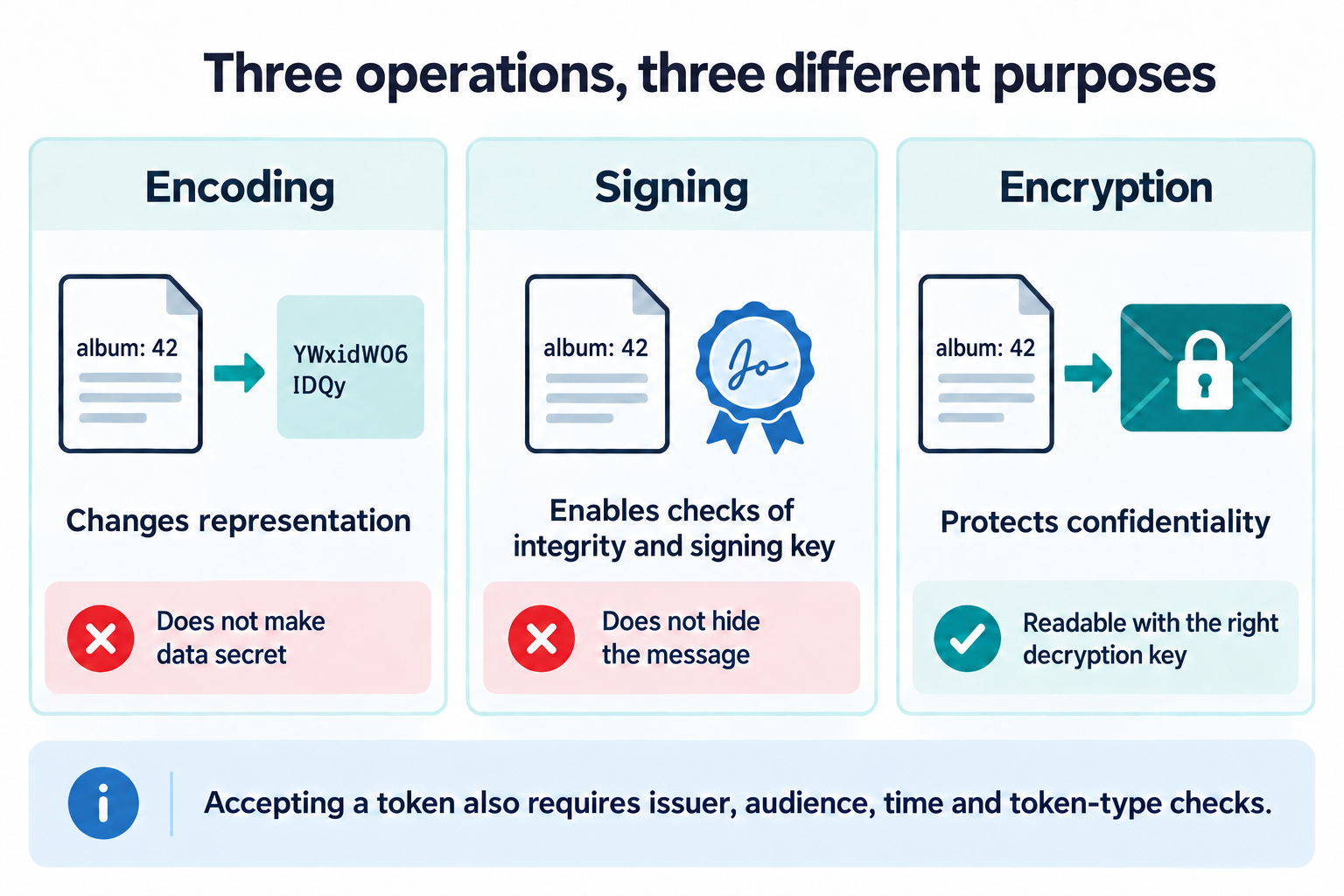
Encoding changes how data is represented. Encryption protects its confidentiality. A digital signature lets a recipient check that a message matches what was signed by the holder of a particular private key. These operations serve different purposes.
A signed JSON Web Token, or JWT, commonly contains claims that anyone holding it can decode and read. A signature does not hide those claims. The recipient must verify the signature with a trusted key and check whether the issuer, audience, validity period, and token type are appropriate for this use. A valid signature alone does not mean the message should be accepted.
Limiting reuse
A replay happens when someone reuses a captured message or credential. Encryption in transit does not prevent replay after a credential has been stolen from an endpoint. Expiration, restrictions on where a credential can be used, and protocol-specific protections can limit that exposure. Some tokens are also bound to a key pair, so using one requires proof of possession of the matching private key rather than possession of the token alone.
The Credentials and keys lessons, starting with Secrets and key pairs, look closely at shared secrets, signatures, and how keys are stored and replaced. The Certificates and PKI lessons, starting with What a certificate says, follow certificates from issuance through validation and revocation, and Passwords and PINs walks through checking a password against a salted hash. In the OAuth 2.0 lessons, Token formats and validation works through the checks an API applies to a token, and Binding a token to a key shows how a token is tied to a key pair.
These distinctions become especially important when granting another application access to your data. Continue to Giving another application limited access.