From delegated access to sign-in
All domains, identifiers, and tokens in these examples are fictional.
The printing application has a problem that has nothing to do with photos. Every new customer has to create a printer account before ordering a book: choose an email address, invent a password, confirm the address. Plenty of people give up halfway. Most of them already have a photo account, and many have just connected it to the printer.
Why an access token is not a sign-in
Here is the shortcut. The printer runs the authorization code flow, receives an access token, and calls an endpoint on the photo API that describes the account behind the token:
GET /me HTTP/1.1
Host: api.photos.example
Authorization: Bearer demo-access-token-12

HTTP/1.1 200 OK
Content-Type: application/json

{ "id": "user-2048", "name": "Robin Park" }
The printer then signs in whoever owns user-2048. It works in a demonstration, and it answers the wrong question.
An access token tells the photo API that some client may read some photos. It was written for the API, and the printer only carries it. Nothing in the token, or in the API's answer, tells the printer that this token was issued to the printer, for this sign-in attempt, a moment ago.
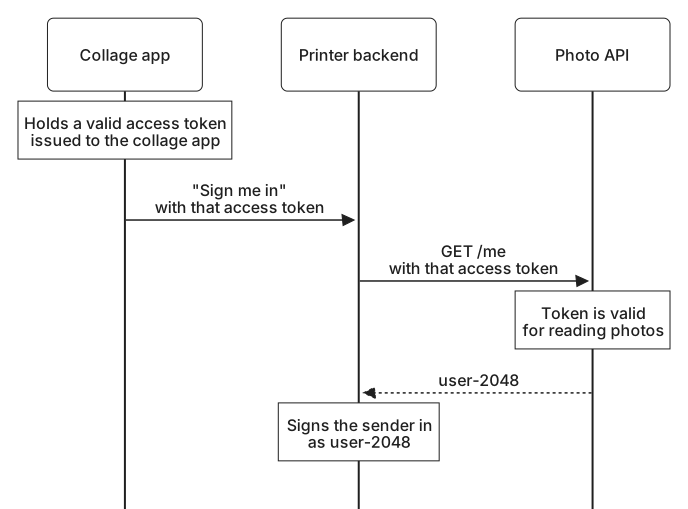
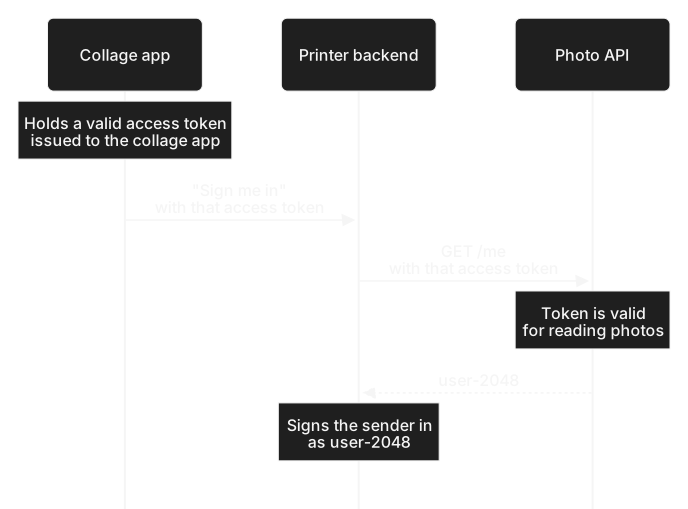
That gap matters as soon as a token can reach the printer from somewhere other than its own token request. Suppose the printer's phone app runs the flow itself and sends the access token it receives to the printer's backend, which signs in the account behind it. Now suppose you once connected a collage app to your photo account. The collage app holds a valid access token for your photos. Its operator, or anyone who copies that token, can send it to the printer's backend in place of a token from the printer's own app. The backend calls /me, receives user-2048, and signs that person in as you. The token is genuine. It was simply never meant for the printer. This is the access token injection that The implicit grant described, arriving by a different route.
Time is a second problem. An access token can be issued long after you last authenticated. In The refresh token grant, the printer obtained new access tokens every December without you being present. A token like that shows that an authorization still exists, not that anyone has signed in recently.
The third problem is practical. Every service that offered a /me endpoint designed its own, with its own field names and its own idea of what an identifier was. A printer that wanted to support several services had to learn each one, and it still could not tell from any of them when or how you had authenticated.
Many early "sign in with" integrations were built this way. Their problems are the reason a separate standard exists.
What OpenID Connect adds
OpenID Connect, often shortened to OIDC, adds an identity layer to OAuth 2.0. It keeps the authorization code flow you already know, with the same endpoints, state, PKCE, and code exchange, and adds a small number of things on top.
The printer asks for sign-in by including the scope value openid in its request. When the exchange succeeds, the token response contains an ID token alongside the access token. An ID token is a signed statement from the photo service, addressed to the printer by its client ID, saying which account authenticated, when, and in answer to which request.
Each of those details closes one of the gaps above. Because the token is addressed to the printer, a token issued to the collage app would name the collage app, and the printer would refuse it. Because it carries a value the printer chose for this attempt, a token from an earlier sign-in does not fit a new one. Because it records when you authenticated, the printer can tell a sign-in from this morning apart from one last spring.
OIDC also standardizes the surroundings: names for common profile information such as a name and email address, called claims; a UserInfo endpoint where a client can ask for them; a discovery document that tells a client where to find a provider's endpoints and keys; and ways to coordinate signing out. A printer that understands these can work with any provider that follows the specification, rather than learning a new /me endpoint each time.
The access token keeps its job. If the printer also wants to read your photos, it can ask for both in the same request, and it will receive an ID token for signing you in and an access token for the photo API. Signing in alone does not give the printer your photos.
Before following a sign-in message by message, it helps to name the participants the way OpenID Connect does, because their responsibilities have shifted slightly from the OAuth roles you know.